Load jobs
The service runs one AIPerf job at a time against router.url. To change the rate or duration, start a new job. Load jobs require the load configuration section.
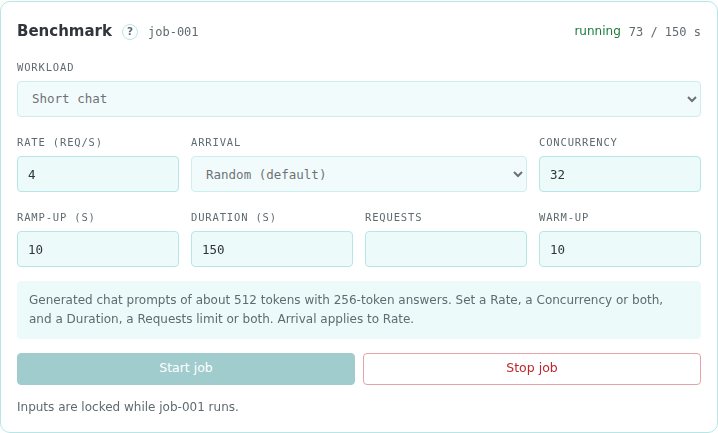
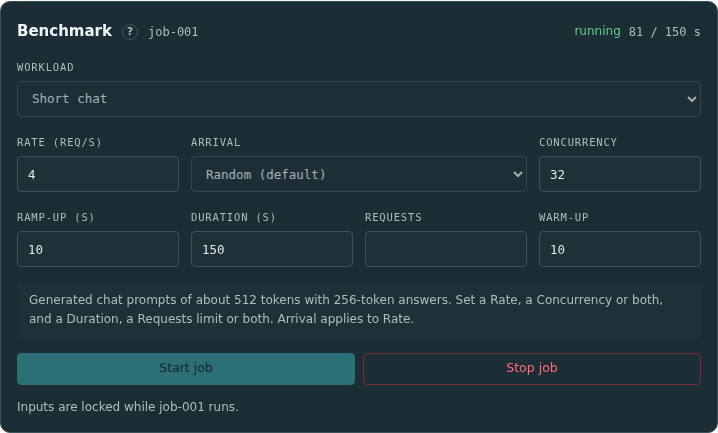
Choose a workload
The hint under the inputs describes the selected workload and the inputs it accepts. To add or change a workload, edit load.workloads as in Workloads and restart the service.
Start a job
In the Benchmark panel, select a workload and set its inputs:
| Input | Field | Meaning | Range | Default |
|---|---|---|---|---|
| Rate (req/s) | rate |
Requests per second | 0.1 to 1000 | 2 |
| Arrival | arrival |
Spacing of requests at the rate: random (Poisson), steady (even) or bursty (gamma, smoothness 0.5) |
random |
|
| Concurrency | concurrency |
Maximum requests in flight | 1 to 4096 | 32 |
| Ramp-up (s) | ramp_s |
Seconds to rise from a low start to the rate and the concurrency | 1 to 3600 | 10 |
| Duration (s) | duration_s |
Seconds of load | 1 to 86400 | 300 |
| Requests | requests |
Number of requests to send | 1 to 1000000 | 1000 |
| Warm-up | warmup_requests |
Requests sent before measurement. The results leave them out | 1 to 10000 | 10 |
Concurrency, Requests and Warm-up take whole numbers. The console and the service refuse values outside the range.
Selecting a workload fills each empty input with its default. A timestamped_trace workload clears every input, so the trace replays in full at its recorded times.
Each workload kind accepts these inputs:
| Input | synthetic, mixed, multi_turn, public_dataset, prefix_trace |
timestamped_trace |
|---|---|---|
rate |
Set rate, concurrency or both |
Rejected |
arrival |
Optional. Requires rate |
Rejected |
concurrency |
Set rate, concurrency or both |
Optional. Caps the requests in flight |
ramp_s |
Optional. Ramps the rate and the concurrency that are set | Rejected |
duration_s |
Set duration_s, requests or both |
Optional. Shortens the replay |
requests |
Set duration_s, requests or both |
Optional. Ends the replay after this many requests |
warmup_requests |
Optional | Rejected |
With both duration_s and requests set, the job stops at the first limit it reaches. In a multi_turn workload, rate counts turns and concurrency counts conversations.
While the job runs
The panel locks its inputs, and the session strip shows the job's progress. Stop job stops AIPerf.
Benchmark results
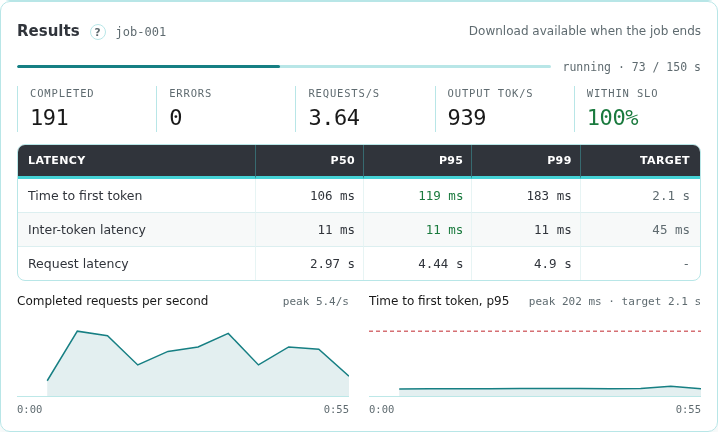
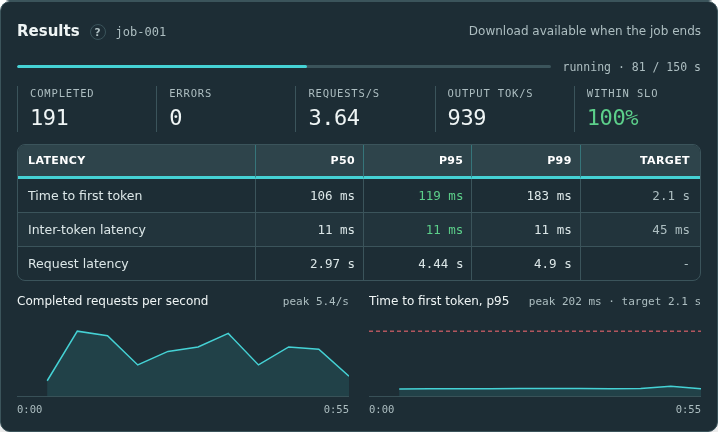
Results shows the current or last job's figures, refreshed every 3 seconds:
- the job's progress against its duration
- completed requests, errors, requests per second and output tokens per second
- the share of requests within the SLO, when
load.goodputis configured - time to first token, inter-token latency and request latency at p50, p95 and p99, with the
load.goodputtarget beside each - charts of completed requests per second and time to first token p95 over the job
A p95 value turns yellow at 80% of its target and red at 100%.
Download results saves the job document as <job>.json.
A job fails when its trace file is unreadable, AIPerf fails to start or exits non-zero, or the AIPerf summary export is missing or unreadable.